


The Minecraft launcher you'll love opening
Alloy is free, open source and has no ads, on Windows and Linux. Every screen is designed and animated by hand, everything answers instantly, and it catches broken modpacks before Minecraft crashes.
Try Alloy here, before you download it
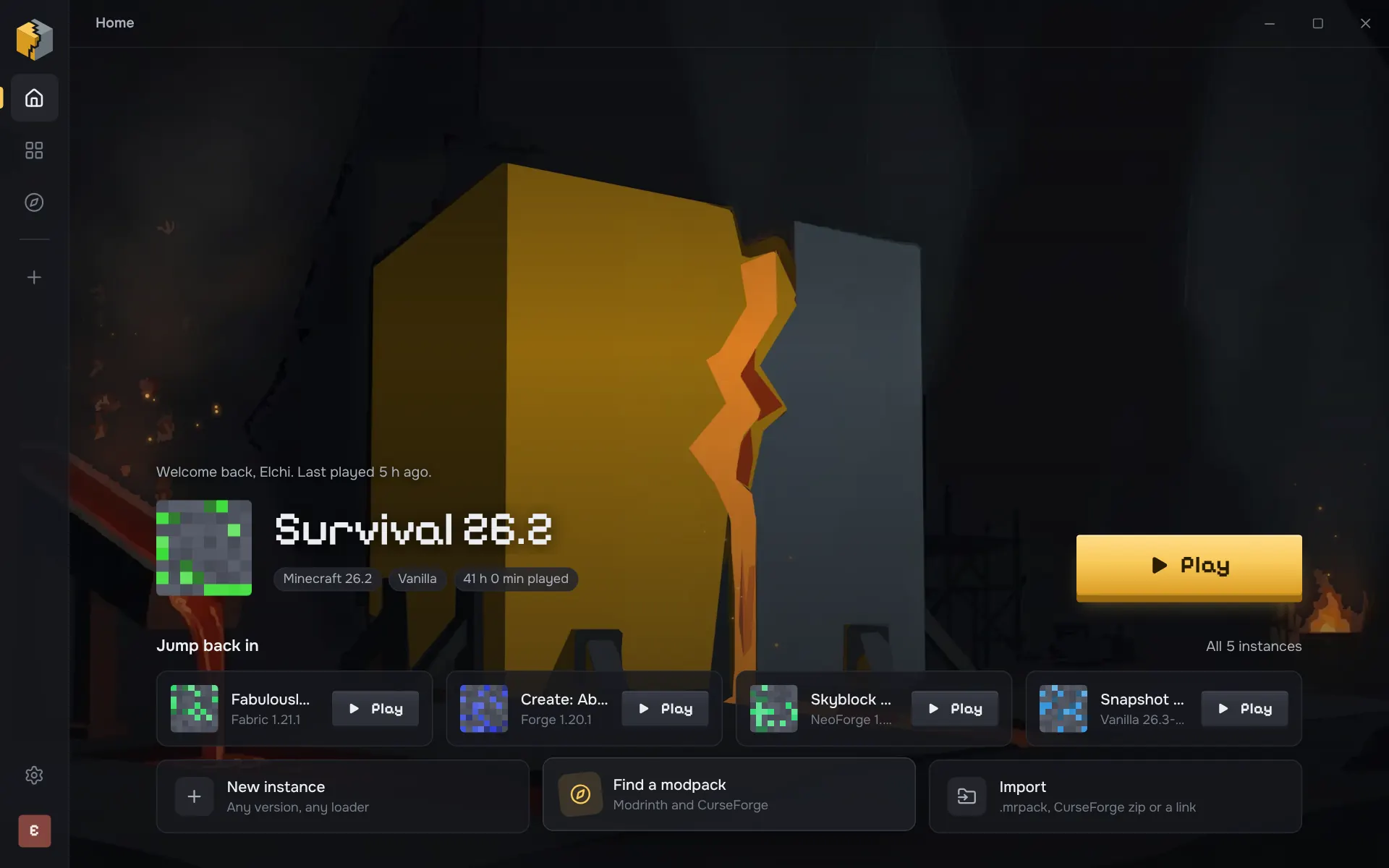
This is Alloy 0.2.1 itself, running in your browser with five sample instances. Nothing gets installed, and searches reach Modrinth through alloymc.dev.
The demo needs a bigger screen. Open this page on a computer to try it.
Things to try
- Rest your pointer on Play and watch the gold heat up.
- Open Fabulously Optimized from the library and press Play. Alloy stops first: two mods need Fabric API. One click installs it.
- In the same instance, open Content and press Update all. Iris Shaders is held back, and Alloy says why.
- Search Discover for any modpack. The results are Modrinth's, live.
What Alloy checks, so Minecraft doesn't crash
Before you play
Press Play and Alloy reads what every mod says about itself, including jars packed inside other jars, and checks the whole pack in about a millisecond. It catches missing or wrong-version dependencies, mods for another loader, Minecraft or Java version, duplicates and declared incompatibilities. Each problem comes with a fix you can apply in one click, and nothing is reported that Alloy can't prove.
When you update
Update all downloads every update first and checks the result as one pack. A library only moves as far as the mods that need it allow, and an update that would still break another mod is held back with the reason. Release versions only, unless you're already on a beta. Mods you added yourself are recognised by their hash and get updates too.
How fast, in numbers
A Rust core under a native window. These are timings from Alloy's own benchmark, on the same data, before and after the work that went into them.
| What | Before | Now |
|---|---|---|
| A new instance of a version you already have | 47.2 s | 58 ms |
| Clicking Play to a ready Java command | not measured | 0.7 ms |
| Block textures for the interface | 41 MB game jar | 116 KB |
Free and open source, with no ads
- No ads, ever
- No banners, no sponsored packs, no paid tier to make them go away.
- Open source
- Every line is on GitHub under the GPL-3.0. Read what it does or build it yourself.
- No tracking
- Alloy sends no telemetry. You sign in on Microsoft's own page; your password never touches Alloy.
- Signed updates
- Your copy only installs an update signed with the key built into it. Every download lists its checksum.
And everything you'd expect
- Vanilla, Fabric, Quilt, Forge and NeoForge
- Forge from 1.6 to today
- Fabric API added to new Fabric instances
- Modrinth and CurseForge modpacks
- Install from a link or by dropping a file
- Project pages with every version
- Java downloaded and matched for you
- Several Microsoft accounts
- Groups, custom icons, memory per instance
- CurseForge files that need a manual download, picked up from Downloads
Questions people ask
What makes Alloy different?
Alloy is built around how it feels to use. Every screen is designed and animated by hand, on a Rust core that answers instantly: a new instance of a version you already have is ready in 58 ms, and Play reaches the game's start command in 0.7 ms. It checks every mod before launch and offers one-click fixes, and “Update all” checks the updated pack as a whole, holding back anything that would break another mod. It's free, open source and has no ads.
Is Alloy free?
Yes. Alloy is free and open source under the GPL-3.0, with no ads and no paid tier to remove them.
Which systems does Alloy run on?
Windows 10 and 11 (64-bit), with an installer, and Linux, as an AppImage that runs on most distributions (Alloy is tested on Arch Linux). macOS is not supported yet.
What does “checks your mods before you play” mean?
When you press Play, Alloy reads what every mod jar declares about itself (fabric.mod.json, mods.toml, neoforge.mods.toml, quilt.mod.json, mcmod.info, and jars bundled inside other jars) and checks the whole set in about a millisecond: missing or wrong-version dependencies, mods made for another loader or Minecraft version, the wrong Java version, duplicates and declared incompatibilities. Each problem comes with a one-click fix, such as installing the missing mod. It only reports what it can prove, so it doesn't cry wolf.
Is Alloy safe?
Every download is listed with its SHA-256 checksum, and updates are signed: Alloy only installs an update whose signature matches the key built into the version you have. Alloy collects no telemetry or analytics. Its installer isn't signed with a code-signing certificate yet, so Windows SmartScreen may say “unknown publisher” the first time; choose More info, then Run anyway. Alloy is open source, so anyone can read exactly what it does.
All questions about Alloy, or see how it compares to other launchers.

Pick a pack and press Play
Alloy is in alpha and gets better every week. Updates are signed and install in one click.